Tagsheet Wizard
Save it, version it, share it
Tagsheet Wizard
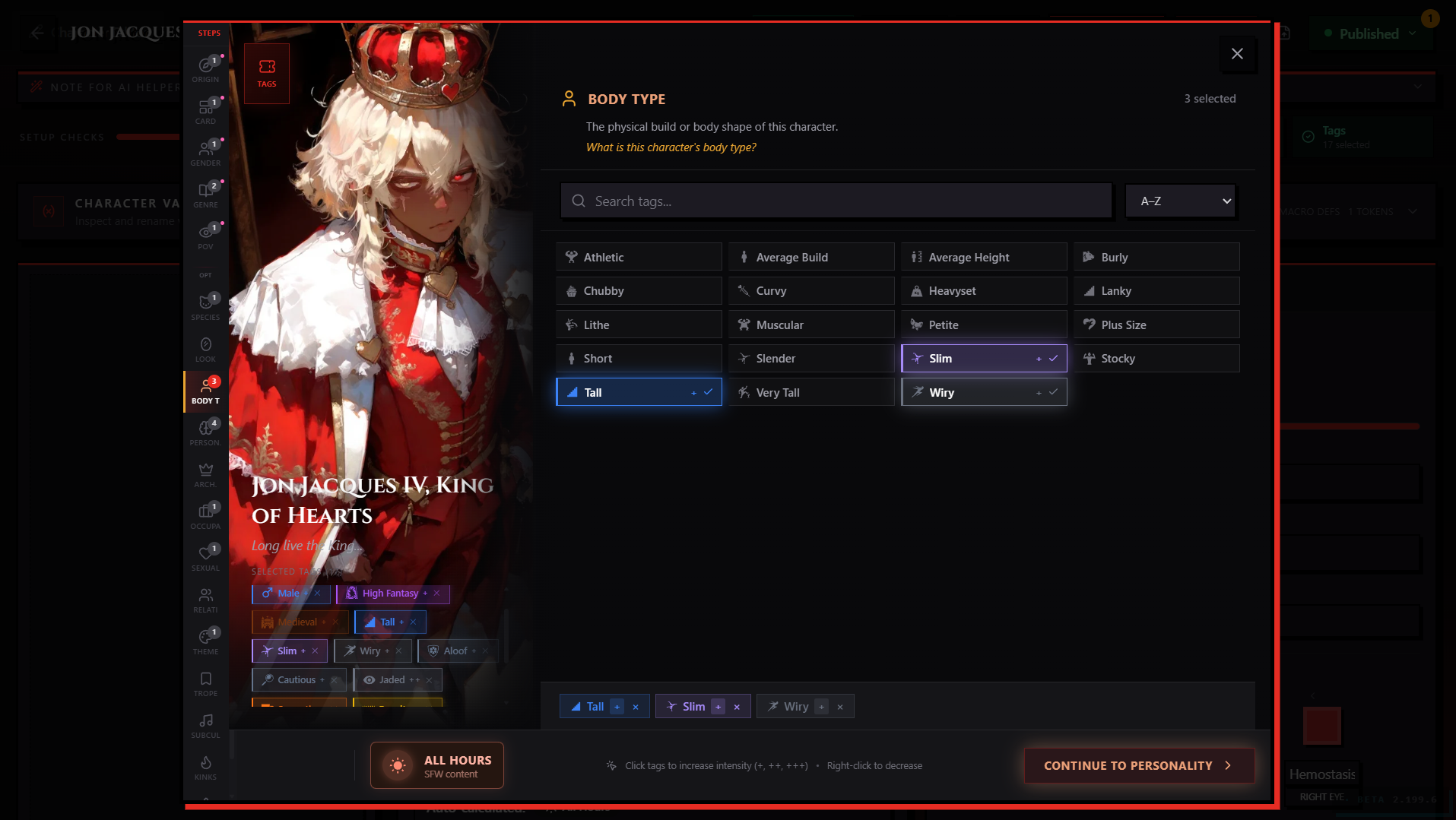
The Tagsheet wizard is the publishing surface where you set the tags, trigger warnings, and content rating that your content is published under. It opens from the Publishing Controls block in any standalone editor — click Open Tagsheet to launch it.
The wizard runs here on RoleCall because the editor lives here. But what the wizard governs — the tag taxonomy itself, what each rating means, how content gets filtered, who can see what, blocked tags and blocked creators — all of that is PlotLight's domain. PlotLight is the discovery and moderation side of the system, and the rules around publishing live with it.
For the full guide on how to tag well, see PlotLight's tagging docs.
What You Do on RoleCall
You can use the Tagsheet wizard here to:
- Step through the wizard's four steps (tags, intensities, trigger warnings, content rating)
- Save the tag configuration on a piece of your own content
- Update an existing piece of content's tags at any time without re-publishing
Tag changes save instantly when you finish the wizard. No new version, no separate publish — re-tagging is metadata.
What Lives on PlotLight
- The full tag taxonomy for each content type and what each tag actually means
- Rules around the content rating tiers (All Hours / Late Night / After Dark) and what each one allows
- The kink and adult-content tag subsystem, including auto-promotion rules
- Trigger warning severities and what users see at each level
- Blocked tags and blocked creators (the personal filter system — managed from PlotLight account settings)
- How Discovery uses tags to surface content and how the After Dark filter unlocks
- The request a new tag flow, queue, and moderation policy
If you have a question about any of those, it lives in PlotLight's docs, not here.